Saturday, 31 October 2026
Most organisations do not have a room for every purpose. They have one good room, and it has to host a Monday leadership review, a Wednesday training batch and a Friday client presentation. Without design intent, that room serves each use badly: the layout favours one activity, the microphones suit another, and every change needs someone from IT. A flexible AV space is designed so the room reconfigures itself around the activity. This guide explains how.

Start with activities, not equipment
List every activity the room must host, with its typical headcount, seating arrangement, who runs it and what must be captured or shared. Meetings are conversational and many-to-many. Training is instructor-led, often interactive and frequently recorded. Presentations are one-to-many and demand the highest content clarity. Where requirements conflict, this activity matrix shows exactly where to design a compromise. Our pre-sales analysis and solution design process begins with this exercise.
Consider a 24-seat room. In Meeting mode, tables form a U-shape, table microphones are live and the second display shows remote participants. In Training mode, seating turns to face the front, the instructor's wireless microphone takes priority and the audience zone is armed for questions. In Presentation mode, one large content image dominates and the room lights dim near the screen. The hardware is identical; only the design logic changes.
1. Configurable displays: a canvas, not a screen
A single fixed screen forces a single layout. Flexible rooms treat displays as a configurable canvas: a main display for content, a second for remote participants or an agenda, and confidence monitors where the room is deep. A switching or AV-over-IP backbone lets any source reach any display, so the same hardware serves a hybrid meeting and a classroom-style session.
Position screens so sightlines work in both seating arrangements, rows facing front for training and a U-shape or boardroom layout for meetings. Check both before fixing display locations.
Content sharing deserves the same flexibility. Offer consistent wired inputs at the lectern and table, plus wireless sharing for guests, so a visiting speaker can present without calling IT. For training, consider annotation or whiteboarding on a display so instructors can mark up material in front of the group.
2. Microphone zones: capture the room the way it is used
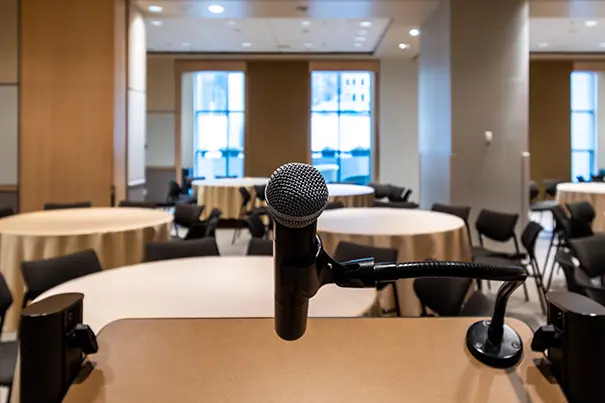
Microphones are where flexible rooms most often fail. A tabletop set suits a meeting but misses an instructor walking the room. Divide the space into zones instead:
- Participant zone: ceiling or table microphones covering seated attendees, ideally not tied to furniture so tables can move.
- Presenter zone: wireless lapel or handheld microphones for trainers and speakers.
- Audience zone: coverage for questions and discussion from the back of the room.
A DSP then opens and mixes the right zones for each activity, with echo cancellation keeping remote audio clean. Our AV signal flow guide for IT managers shows how these pieces connect.
Instructor priority is worth specifying explicitly. When the trainer speaks, the system should favour that microphone and reduce the gain of others, which keeps speech clean and avoids feedback as the instructor moves in front of the loudspeakers.
3. Room presets: where hardware becomes flexibility
Presets turn a collection of devices into a room that adapts in one touch. A preset recalls a complete state: which sources route to which displays, which microphone zones are live, loudspeaker levels, camera framing and, where integrated, lighting and blinds.
Typical presets include Meeting, Hybrid Meeting, Training, Presentation, Recording and Standby. Name them in plain language, the way users think about the room, and keep the list short. Five or six well-designed presets beat fifteen that nobody remembers.
Test presets with the people who will use them. A trainer, an executive assistant and a visiting presenter will all find different weaknesses, and it is far cheaper to refine a preset before handover than after. Always include a simple manual override, so a host can adjust a single setting without abandoning the whole scene. Designing around real users reflects our people-first AV design philosophy, where technology adapts to users' requirements rather than forcing them to adjust their working habits.
4. Integrated control: one interface for everyone
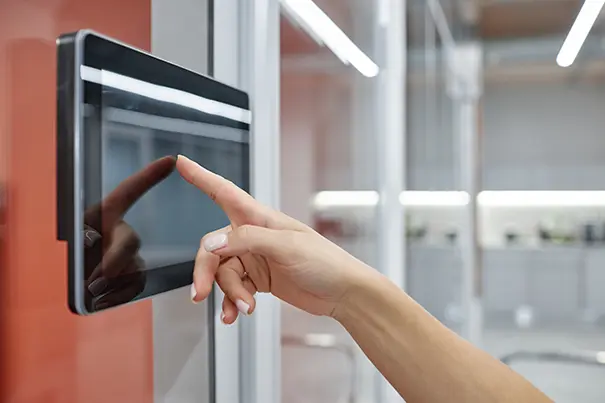
Control is the layer users actually touch, so it must be simple. A touch panel at the lectern or table should offer one-touch start, clear labels and automatic shutdown. Role-based pages help: a trainer sees training tools while an administrator sees engineering controls. Integration with lighting, shades and room booking can even start the right preset when a session begins.
Behind the interface, networked device management and alerts let support see faults before users do. Our managed services are built around exactly this model.
Resilience matters here too. If the network drops or a device fails, the room should degrade gracefully, keeping basic display and audio working rather than leaving the host stranded with a dark panel.
5. Cameras, recording and platforms
Training and presentations are often recorded or streamed, so cameras need presets too: presenter, audience and whiteboard views, switched automatically or by control. Keep the room platform-agnostic so it supports Teams, Zoom or Google Meet alongside wireless sharing for guests. See how our Signature Teams Rooms and hybrid collaboration rooms approach this.
Flexibility is physical too
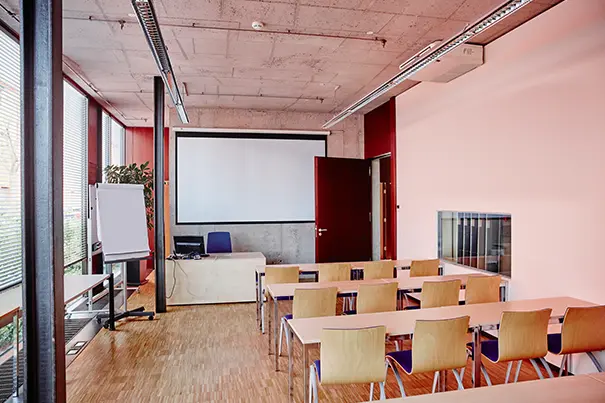
Technology can only adapt as far as the room allows. Specify modular furniture on casters, floor boxes or flip-up connection points that follow the furniture, and lighting in zones so screens are not washed out. Acoustics matter as well; our acoustic treatment guide explains why hard surfaces undermine every microphone zone.
Designing for the next use, not just the first
The best flexible rooms are the ones people stop thinking about: they walk in, press one button and the room is ready. That outcome comes from design decisions made early, and from user and operational training that gives hosts confidence in the presets. For a smaller-room perspective, read how we design a 12-seater boardroom AV system.
For larger spaces with 20 to 50 participants, the design also needs to account for distributed microphone coverage, multiple camera angles, display zoning and consistent audio reinforcement. Explore our AV design for large conference rooms to understand how these requirements shape the overall room architecture.
Planning a multi-purpose room? Explore our board room and conference room solutions or talk to our team for a design review.
ABOUT THE AUTHOR
Sanjeev Kalhan — Founder & CEO, Communication Media Products (India) Private Limited
Sanjeev is an IIT Delhi B.Tech and IIM Calcutta MBA who leads CMPPL, an enterprise audio-visual systems integrator founded in 1995. He is passionate about experience-led AV design, where technology adapts to people rather than the other way around.
Connect on LinkedIn.
FAQ
A flexible AV room is a single space designed to support several activities, such as meetings, training and presentations, by reconfiguring displays, microphones, audio and control through presets rather than manual changes.
Room presets are saved system states recalled with one touch. A preset sets source routing, display layout, active microphone zones, audio levels, camera views and optionally lighting for a specific activity.
Usually five or six, named in plain language such as Meeting, Hybrid Meeting, Training, Presentation, Recording and Standby. More than that tends to confuse users and reduce adoption.
Different activities capture sound differently. Zones let the DSP open table coverage for meetings, prioritise the presenter for training, and enable audience pick-up for questions, without manual mixing.
Yes, provided displays, camera presets and microphone zones are designed for both layouts. Sightlines and acoustics should be checked for each seating arrangement during design.
Yes. A single control interface keeps operation simple for non-technical users, and enables role-based access, automatic shutdown and monitoring.
A well-designed room is platform-agnostic, supporting Microsoft Teams, Zoom and Google Meet, plus wireless content sharing for guests and visitors.
For any inquiries or to discuss your requirements, please feel free to contact CMPPL through our website at www.cmppl.com or by email at info@cmppl.com. Our team will be happy to assist you.
Published: 31 October 2026