Thursday, 02 July 2026
A 12 seater boardroom is one of the most demanding spaces to design for AV. It is large enough to require distributed audio coverage, multiple displays, and intelligent camera systems — yet executive enough to demand a clean, cable-free aesthetic that projects professionalism. For IT managers tasked with specifying or approving an AV fit-out, getting this right has a measurable impact on collaboration quality, meeting efficiency, and the organization's overall technology image.
This guide walks you through every layer of a well-engineered 12 seater boardroom AV system — from the first design decision to the final commissioning check. Whether you are planning a new installation or upgrading an existing room, these principles will help you ask the right questions, avoid common pitfalls, and partner more effectively with your AV system integrator.
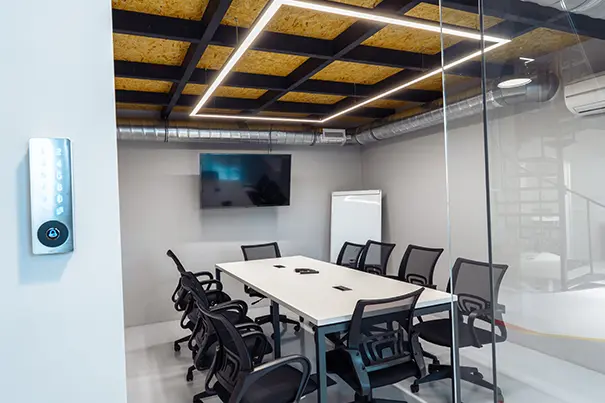
Start With a Room Audit and Needs Assessment
Before any hardware is specified, the room itself must be understood. A 12 seater boardroom typically spans 30 to 45 square feet per person, placing the total room area in the 400–550 sq ft range. The physical parameters of this space govern every subsequent AV decision.
Key audit questions your AV integrator should answer:
- What are the exact room dimensions, ceiling height, and table geometry?
- Where are windows, and what is the ambient light level at different times of day?
- What are the room acoustics — does the space echo, or is it acoustically treated?
- Where does IT infrastructure (LAN ports, power outlets, racks) currently sit?
- Which collaboration platforms does your organization use — Microsoft Teams, Zoom, Webex, or multiple?
- Will the room be used for internal meetings only, or also for external presentations and investor briefings?
The answers shape the entire design. A room with floor-to-ceiling glass needs anti-glare display positioning and camera placement that avoids backlight. A room with hard plaster walls needs acoustic baffles before microphones are even specified. Skipping this step is the single most common reason boardroom AV installations underperform.
Display Design: Sizing, Placement, and Resolution
For 12 participants seated around a conference table, a single display is rarely sufficient. The industry standard is to apply DISCAS (Display Image Size for 2D Content in Audiovisual Systems) guidelines to calculate the minimum display size based on the farthest viewer distance.
For a typical 12 seater boardroom:
- The farthest seat is typically 4.5 to 5.5 metres from the primary display wall.
- DISCAS recommends a minimum display height where the viewing distance is no more than 6x the display height for general content.
- This translates to a primary display of 86" to 98" in a standard 12 seater room, or dual 65"–75" displays side by side.
A dual-display configuration is strongly preferred in hybrid boardrooms — one screen for remote participants and a second for shared content. This eliminates the frustrating scenario where the content presenter has to choose between showing their deck and showing remote attendees on screen.
On resolution: 4K UHD displays are now the standard for this room size. They support text-heavy presentations that must remain legible from the far end of the table, and they provide the clarity needed for executive video calls. If the room doubles as a presentation theatre for larger audiences, consider a Direct View LED (dvLED) wall for seamless, bezel-free display with superior brightness.
CMPPL's boardroom display solutions include Samsung, LG, Sony, and Leyard dvLED systems, selected and sized for the specific parameters of each room.
Camera Systems: Coverage, Tracking, and Framing
Camera quality is the most visible measure of a boardroom's AV system — because it directly determines how your organization is perceived by external participants. A pixelated, misframed, or backlit video feed in an executive meeting communicates exactly the wrong message.
For a 12 seater boardroom, the camera approach depends on whether the meeting style is primarily presenter-led or collaborative:
- Single PTZ camera (Pan-Tilt-Zoom): Appropriate for presenter-led rooms where the speaker position is predictable. A high-quality PTZ with optical zoom (Poly Studio E70, Logitech Rally PTZ) covers the full table when zoomed out and tracks a speaker when zoomed in. Best positioned centrally at the primary display wall, at eye level or just below.
- AI auto-framing camera: For collaborative meetings where conversation moves around the table, an AI-powered camera such as the Logitech Rally Bar or Poly Studio R30 uses computer vision to identify active speakers and reframe automatically. This is the preferred choice for most modern boardrooms.
- Dual-camera setup: For rooms where the presenter works from a whiteboard or display at one end and participants sit at the other, a secondary camera pointed at the whiteboard area gives remote participants full context — a significant upgrade to meeting equity.
Important: ensure your camera's horizontal field of view covers all 12 seats from the mounting position. For longer tables (over 4 metres), a wide-angle primary camera plus a secondary camera at the opposite end is worth specifying.
Microphone and Audio Design: The Most Critical Layer
Poor audio ends meetings faster than any other technical failure. Remote participants tolerate mediocre video, but unintelligible speech is a meeting-stopper. Yet microphone design is consistently under-specified in boardrooms.
For a 12 seater table, the two most effective microphone approaches are:
Ceiling Microphone Arrays (Recommended)
Ceiling arrays such as the Shure MXA920 or Biamp Tesira Ceiling Tile use beamforming technology to create multiple virtual microphones pointed at different areas of the table. The result is consistent pickup from every seat, no physical footprint on the table, and superior rejection of HVAC noise and room reverberation.
For a 12 seater room, one or two MXA920 units positioned directly above the table provide full coverage. The arrays connect to a DSP (Digital Signal Processor) — typically a Q-SYS Core or Biamp Tesira — which applies Acoustic Echo Cancellation (AEC), noise reduction, and automatic gain control before audio is routed to the codec.
Table Boundary Microphones (Alternative)
For rooms where ceiling installation is not feasible, tabletop boundary microphones (Shure MXA310, Sennheiser TeamConnect) in a distributed configuration can provide adequate coverage. Place one unit per three to four seats, avoiding positions near projectors, speakers, or HVAC vents.
Critical design parameter: measure the room's RT60 (reverberation time) before specifying microphones. Rooms with RT60 over 0.6 seconds need acoustic treatment — panels, carpet, curtains — before microphone arrays can deliver intelligible audio. Your AV integration specialist should conduct this measurement during the site audit.
Speaker System and Audio Output
Speaker design is the counterpart to microphone design, and it receives equally insufficient attention in many boardrooms. The goal is even audio distribution to all 12 seats — no hot spots, no dead zones, and no audio leakage into the microphone pickup zone (which causes echo).
For a 12 seater boardroom, the recommended approach is:
- Ceiling speakers in distributed configuration: Two to four 6" or 8" ceiling speakers, positioned symmetrically above the seating area. Ceiling speakers blend into the room aesthetic, provide even coverage, and stay out of the microphone direct path.
- DSP-managed amplification: All speaker outputs should be driven through the room's DSP, which allows precise level management, EQ, and delay alignment. This ensures that audio levels from both the local codec and remote participants are balanced and consistent.
- Avoid soundbars as the primary speaker system: Soundbars concentrate audio at one end of the room. Participants at the far end of the table experience noticeably lower volume. For a 12 seater room, distributed ceiling speakers are always the correct choice.
Video Conferencing Platform and Codec Integration
The video conferencing codec is the engine of your boardroom AV system. For enterprise deployments in 2025, the decision is typically between a dedicated room system and a BYOD (Bring Your Own Device) architecture.
Dedicated room systems — Microsoft Teams Rooms (MTR), Zoom Rooms, Webex Room Kit — offer the most reliable and feature-rich experience for 12 seater boardrooms. They provide:
- One-Touch Join: meeting calendar integration means users tap once to start the scheduled call.
- Consistent audio and video settings regardless of who brings the laptop.
- Room analytics: usage data, meeting patterns, and technical diagnostics accessible to IT managers.
- Native platform features: gallery view, content sharing, live transcription, and AI-powered meeting summaries.
CMPPL designs and implements certified Microsoft Teams Rooms, Zoom Rooms , and Webex Rooms configurations. If your organization uses multiple platforms, a BYOD-capable system with HDMI/USB-C table connectivity allows any laptop to take control of the room's displays, camera, and audio — ensuring the room works regardless of which platform a guest uses.

Control Systems: One-Touch Simplicity for Complex AV
A 12 seater boardroom typically integrates displays, cameras, microphones, speakers, a codec, a wireless presentation system, lighting, and sometimes motorized shades. Managing all of this through separate remote controls or manual inputs is a recipe for meeting delays and frustrated users.
A centralized control system — typically from Crestron, Extron, or AMX — brings everything under a single, intuitive touch panel. From the panel, users can:
- Start a video call and have the displays, camera, and audio activate automatically.
- Switch between presentation modes (laptop, wireless, video call) with a single tap.
- Adjust display brightness and camera position without leaving their seat.
- Set room presets: "VC Mode" dims overhead lights facing the camera, raises the display, and joins the meeting; "Presentation Mode" brightens the room and switches to the laptop source.
- Shut down all systems with a single "End Meeting" button.
For IT managers, the control system also provides remote management access — allowing your team to reboot, update, or troubleshoot room systems without physically entering the room. This capability is particularly valuable for organizations managing multiple meeting rooms across a campus or across cities.
Wireless Presentation and Content Sharing
In a 12 seater boardroom, participants frequently need to share content from laptops, tablets, and mobile devices. Cable-based sharing — HDMI on the table — remains a reliable baseline, but wireless presentation systems have become the standard in modern boardrooms for their convenience and cleaner aesthetics.
Leading wireless presentation platforms for enterprise boardrooms:
- Barco ClickShare: USB dongle-based sharing compatible with Windows and Mac. Supports simultaneous multi-screen sharing and integrates with Teams, Zoom, and Webex. The most widely deployed solution in enterprise boardrooms in India.
- Mersive Solstice: Software-based solution with BYOD app support. Strong analytics and room management features preferred by IT teams managing large room inventories.
- Intel Unite / Crestron AirMedia: Enterprise-grade solutions with deeper integration into room control and UC platforms.
Whichever platform you select, ensure it supports 4K content sharing if your displays are 4K, and verify compatibility with your network's security policies — IT-managed boardrooms often have VLAN configurations that affect wireless sharing performance.
Network and Infrastructure: The Foundation Everything Depends On
A boardroom AV system is only as reliable as the network it runs on. IT managers often encounter AV systems specified without adequate network consideration — resulting in pixelated video calls, audio dropouts, and latency issues that no amount of hardware upgrading can fix.
Network requirements for a 12 seater boardroom AV system:
- Wired LAN for all AV devices: The codec, control processor, and ceiling microphones should connect via wired Cat6 or Cat6A. Wi-Fi is acceptable for BYOD sharing devices, but primary AV devices require wired connectivity.
- Dedicated AV VLAN: Isolate AV devices on a separate VLAN with QoS (Quality of Service) policies that prioritize audio/video traffic. This prevents competing traffic from degrading call quality during high-network-utilization periods.
- Bandwidth allocation: A 4K video call requires 20–25 Mbps per endpoint, minimum. For a boardroom connecting to multiple external participants, provision a symmetrical 50–100 Mbps dedicated circuit.
- PoE (Power over Ethernet): Many modern AV devices — ceiling microphones, room scheduling panels, control buttons — run on PoE. Ensure your switch has adequate PoE+ (802.3at) ports budgeted into the infrastructure design.
Lighting, Acoustics, and Aesthetics: The Often-Ignored Differentiators
Technical AV components alone do not make a great boardroom. Lighting and acoustics determine whether the technology performs as specified, and aesthetics determine whether the room projects the right brand image.
Lighting
- Avoid overhead lighting directly behind participants — this creates silhouettes on camera. Position key lighting in front of participants, illuminating faces rather than the ceiling.
- Install colour temperature-tunable LED fixtures. 4000K (neutral white) renders well on camera; 2700K (warm) creates an uncomfortable orange cast in video calls.
- Integrate lighting control into the room's control system so that meeting modes automatically adjust lighting levels.
Acoustics
- Hard surfaces (glass, tiles, concrete) create reverberation that degrades speech intelligibility. Even modest acoustic treatment — fabric panels on walls, a carpet under the table — can reduce RT60 from 0.8 seconds to 0.4 seconds.
- Ensure HVAC vents are not positioned directly above or near microphone pickup zones. HVAC noise is the most common cause of poor remote audio quality.
Cable Management
- Use architectural cable management solutions — pop-up boxes in the table surface, floor boxes, or dedicated trunking — to keep the boardroom cable-free. Visible cable clutter undermines the professional image that a well-specified AV system is designed to project.
Future-Proofing Your Investment
A boardroom AV system represents a significant capital investment. IT managers and procurement heads are rightly concerned about obsolescence. The following design principles extend the useful life of your investment:
- AV over IP (AVoIP): Distributing audio and video signals over your IP network using protocols such as Dante (audio) and SDVoE or HDBaseT (video) eliminates proprietary signal cabling and makes it straightforward to reconfigure room layouts or add new endpoints.
- Open standards hardware: Specify DSPs, control systems, and codecs from manufacturers (Q-SYS, Crestron, Biamp) that support open APIs and regular firmware updates. Avoid proprietary ecosystems that lock you into a single vendor's upgrade path.
- Platform-agnostic design: Design the room's AV infrastructure to support multiple UC platforms simultaneously. If your organization moves from Zoom to Teams, or needs to support both, the room's cameras, microphones, and speakers should continue to function without hardware replacement.
- Leave IT conduit capacity: Run additional conduit runs and leave cable pull strings during installation. Future technology additions — additional cameras, sensors, room booking panels — become far less disruptive if the infrastructure pathways already exist.
CMPPL's boardroom and conference room solutions are engineered for long-term performance, built on open standards, and supported by ongoing maintenance contracts that keep your systems current.
Ready to Design Your 12 Seater Boardroom?
At CMPPL, we have designed and commissioned boardrooms for some of India's most demanding organizations — from global technology firms and financial institutions to national institutes of excellence. Our process begins with a thorough site audit, moves through detailed schematic design, and ends only when your team is fully confident using the system.
Explore our boardroom and conference room solutions, learn about our hybrid collaboration room designs, or contact our AV specialists for a no-obligation consultation and site visit.
ABOUT THE AUTHOR
Sanjeev Kalhan is the Founder & CEO of CMPPL, with over 30 years in AV, computing and technology leadership. He founded CMPPL in 1995 and holds a B.Tech in Electrical Engineering from IIT Delhi and an MBA from IIM Calcutta. Connect with him on LinkedIn.
FAQ
A. For a standard 12 seater boardroom where the farthest seat is 4.5–5.5 metres from the screen, a single 86"–98" 4K display or a dual 65"–75" configuration is recommended. The DISCAS standard requires that no viewer be seated more than 6x the display height away from the screen. Many organizations prefer dual displays — one for video participants and one for shared content — to avoid switching between views during hybrid meetings.
A. In most cases, one or two ceiling microphone arrays (such as the Shure MXA920) positioned directly above the conference table provide complete coverage for 12 seats. These beamforming arrays use multiple virtual microphones to pick up speech from all directions. If ceiling installation is not feasible, three to four tabletop boundary microphones in a distributed configuration are an effective alternative. All microphones should route through a DSP for acoustic echo cancellation and noise reduction.
A. The right platform is the one your organization already standardizes on. All three — Microsoft Teams Rooms (MTR), Zoom Rooms, and Webex — offer certified room systems that provide One-Touch Join, automatic camera framing, and room analytics. If your organization collaborates externally with companies using different platforms, a BYOD-capable setup with USB-C/HDMI table connectivity ensures any guest can take control of the room without compatibility issues. CMPPL designs for all three platforms and can also implement multi-platform configurations.
A. The installed cost of a well-specified 12 seater boardroom AV system in India typically ranges from INR 15 lakhs to INR 45 lakhs, depending on display type (commercial LCD vs dvLED), microphone architecture (table vs ceiling array), the video conferencing platform, control system complexity, and acoustic treatment requirements. A basic functional system (single display, table mics, mid-range codec) falls toward the lower end; a premium executive boardroom with dual 98" 4K displays, ceiling microphone arrays, Crestron control, and a certified Teams Rooms setup sits toward the upper end. CMPPL provides detailed itemized proposals after a site audit, so you can compare options at each tier.
A. A standard 12 seater boardroom AV installation typically takes 2 to 4 weeks from design finalization to final commissioning and user handover. This timeline includes pre-installation infrastructure work (conduit, cabling, rack preparation), hardware mounting, system programming and configuration, testing, and a user training session. Complex installations involving acoustic treatment, custom millwork for cable management, or multi-room control integration may require additional time. CMPPL coordinates the full process, including liaison with your facilities and IT teams, to minimize disruption to business operations.
A. Yes — and this is a critical part of the design process. Modern boardroom AV systems are IP-based and integrate with your existing network infrastructure, Active Directory (for room calendar booking), ITSM platforms (for fault ticketing), and building management systems (for lighting and HVAC control). Your AV integrator should work closely with your IT and facilities teams during the design phase to map device IP addressing, VLAN assignments, firewall rules for UC platforms, and PoE switch capacity. CMPPL's implementation process includes a dedicated IT coordination phase to ensure zero surprises during go-live.
A. Boardroom AV systems require regular maintenance to perform reliably. This includes firmware updates for codecs, control systems, and DSPs (typically quarterly), periodic calibration of audio levels and camera framing, cleaning of display surfaces and camera lenses, and preventive checks on cable connections and rack equipment. CMPPL offers Annual Maintenance Contracts (AMCs) that cover scheduled preventive maintenance visits, remote monitoring and diagnostics, priority on-site response for critical failures, and software update management — ensuring your boardroom is always meeting-ready.
For any inquiries or to discuss your requirements, please feel free to contact CMPPL through our website at www.cmppl.com or by email at info@cmppl.com. Our team will be happy to assist you.