Friday, 23 October 2026
A 12-seater boardroom can forgive a lot. One camera, one microphone pod and a single display will usually carry the meeting. A room for 20 to 50 people forgives almost nothing. The farthest seat is several metres from the front, speakers move around, content arrives from half a dozen laptops, and remote colleagues need to feel present rather than watch a distant wide-angle shot. At this scale, AV stops being a product selection and becomes an architecture.
This guide sets out how we approach large conference rooms, from microphones to content sharing, so IT managers and facilities heads can brief designers and evaluate proposals with confidence.
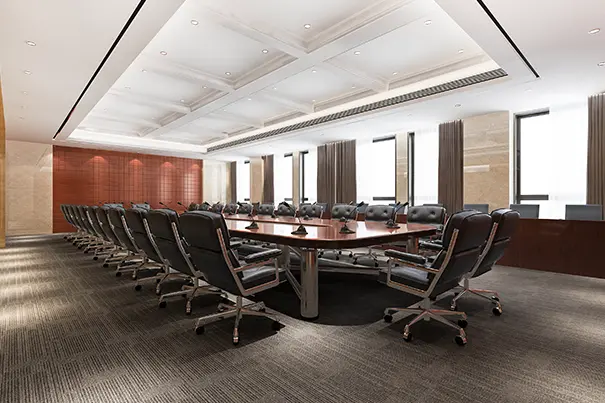
Why 20–50 seats is a different design problem
Three things change as a room grows: distance, density and diversity of use. Distance means the farthest seat is too far from any single microphone, camera or display. Density means more people sharing the same acoustic space, with more ambient noise and reflections. Diversity means the same room may host a board review, a town hall, a training session and a hybrid workshop in a single week.
Designing for the average meeting guarantees a poor result in the others. Start with a use-case matrix and a seating plan, then let both drive every decision below. Our pre-sales analysis and solution design process begins exactly here.
1. Microphones: distribute, don't concentrate
One central tabletop microphone cannot capture a 40-seat room. Pick-up falls with distance, and remote participants lose the voices at the far end first. Three patterns work at this scale:
- Distributed table or boundary microphones for long boardroom and U-shaped layouts, spaced so every seat has a nearby pick-up point.
- Ceiling-array or beamforming microphones for flexible seating, covering zones without cluttering the furniture.
- Wireless handheld or lapel microphones for presenters and Q&A, especially in theatre-style layouts.
All of them should feed a DSP that handles automatic mixing, echo cancellation and gating, so only active talkers are open. This is the foundation of intelligible hybrid audio, and it ties directly to the signal chain explained in our AV signal flow guide for IT managers.
2. Camera coverage: frame the conversation, not the room
A single wide-angle camera turns a 40-person room into a distant crowd. Large rooms typically need two or three cameras: a wide shot for context, a presenter-tracking camera at the front, and one or more audience cameras for discussion. Automatic speaker tracking, driven by microphone position or AI framing, switches between them so remote participants always see whoever is speaking.
Mount cameras at eye level near the main display so people appear to look at the remote audience. Treat lighting as part of camera design: even, front-facing light on faces, and no bright windows behind presenters.

3. Display zoning: every seat needs a line of sight
Display decisions are driven by the farthest viewer. Industry sizing guidance ties the maximum viewing distance to image height, which means content-heavy rooms need larger screens than presentation-only rooms. In practice that points to large-format displays or an LED wall at the front, with repeater screens along the sides for long, narrow rooms.
Zoning means giving each screen a job: primary content, remote participants, and optionally an agenda or collaboration display. Layouts should recall by preset, so a hybrid workshop and a board presentation each take one touch to set up.
Plan for failure modes too. If the main display fails, a secondary screen should still carry content and the remote view, so the meeting continues while support responds.
4. Audio reinforcement: lift the room, protect the far end
Reinforcement serves two audiences. In the room, zoned ceiling loudspeakers deliver even coverage so speech from the front reaches the back without anyone straining. For the far end, the DSP must apply acoustic echo cancellation so the room's loudspeakers never feed back into what remote participants hear. Delay-matching the speakers to the front keeps sound aligned with the screen.
Acoustics matter just as much. Hard surfaces and glass undermine every microphone placement, which is why our acoustic treatment guide belongs in the same planning conversation as sound reinforcement systems.
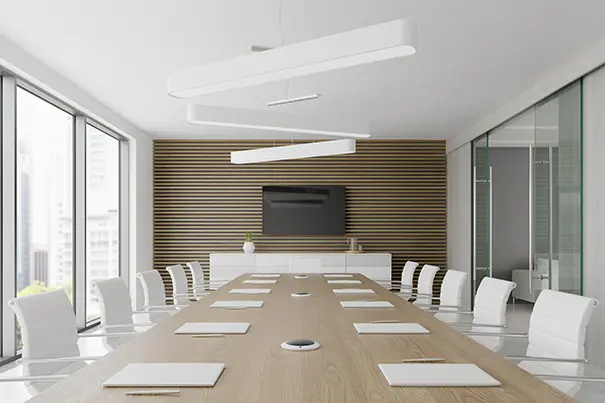
5. Multi-source content sharing: one policy, many inputs
With 20 to 50 participants, content arrives from wired laptops, wireless casting, the room's native conferencing PC, document cameras and cloud files. The architecture should combine a matrix switcher or AV-over-IP backbone, a few consistent wired inputs at the table and lectern, and wireless presentation for guests, all governed by one policy: who can share, how guests authenticate, and which source routes to which display.
The test is simple: a visitor should be able to walk in, connect and present without calling IT. Where the room runs a native platform, our Signature Teams Rooms and hybrid collaboration rooms designs integrate these paths.
Resist the temptation to add every input type. Each extra connection is another thing to support, so standardise on the formats your people actually use and label them clearly at the table and lectern.

6. Control, network and support
A room with this many devices needs one simple control interface: touch panels at the lectern and table that recall scenes such as Present, Hybrid Meeting, Training and Town Hall. Behind the panel, AV belongs on a segmented, monitored network with remote device management. Large rooms are high-visibility, so downtime is costly. Our managed services and user and operational training keep the design performing long after handover. Document every scene and preset, and rehearse them with the room's regular hosts before go-live.
Designing for equality of experience
Designing for 20–50 participants is about coverage and consistency: every voice captured, every face seen, every slide readable, every seat equal. Get the architecture right and the technology disappears. For the smaller end of the scale, read how we design a 12-seater boardroom AV system, or see the full guide to AV integration for hybrid conference rooms.
Planning a large room? Explore our board room and conference room solutions or talk to our team for a design review.

ABOUT THE AUTHOR
Sanjeev Kalhan — Founder & CEO, Communication Media Products Pvt Ltd (CMPPL)
Sanjeev is an IIT Delhi B.Tech and IIM Calcutta MBA who leads CMPPL, an enterprise audio-visual systems integrator founded in 1995. He is passionate about experience-led AV design, where technology adapts to people rather than the other way around.
Connect on LinkedIn.
FAQ
A 40-person conference room may need one boundary microphone per three to four seats. Ceiling arrays suit flexible seating, while wireless microphones support presenters. The final count depends on room layout and acoustics.
Rarely. A single wide camera makes distant participants hard to see. Large rooms usually combine a wide shot, a presenter-tracking camera and one or more audience cameras, switched automatically by speaker tracking.
Size is driven by the farthest viewer and the type of content. Content-heavy rooms need larger images than presentation-only rooms. Your integrator should model sightlines and viewing distances from the seating plan before specifying screens.
Usually yes. Zoned ceiling loudspeakers give even speech coverage so presenters are heard at the back without shouting, while echo cancellation in the DSP prevents the far end from hearing their own voice returned.
Use a combination of wired inputs at the table and lectern, wireless presentation for guests, and a switching or AV-over-IP backbone, all under a single sharing policy covering authentication and routing to displays.
Yes. A well-designed room is platform-agnostic at the architecture level, with the conferencing platform chosen on top. See CMPPL's Teams, Zoom, Google Meet and Webex room solutions for platform-specific designs.
IT, facilities, the interior designer and the AV integrator together, from the floor plan stage. Late AV involvement is the most common cause of acoustic, sightline and cabling compromises.
For any inquiries or to discuss your requirements, please feel free to contact CMPPL through our website at www.cmppl.com or by email at info@cmppl.com. Our team will be happy to assist you.
Published: 23 October 2026