Thursday, 24 September 2026
A microphone problem is rarely just a microphone problem. It's usually the last stop on a much longer chain of causes — a chain that starts with the shape of the room, runs through where the furniture sits and how the air conditioning is ducted, and only ends, several steps later, at the small device on the table that happens to take the blame. We covered how to treat a room acoustically in our guide to acoustic treatment for conference rooms. This post goes a step earlier: before you treat anything, how do you tell what's actually wrong? Below are eight of the most common root causes behind “bad audio,” framed the way our engineers actually encounter them — as a symptom someone describes, and the cause that's usually hiding behind it.
Why the Microphone Gets Blamed First
It's an easy target: it's the one component people can see, touch, and point to on a call. Everything else — reverberation, ceiling voids, duct noise, gain staging inside a DSP — is invisible, so it doesn't occur to most people as a suspect. Swapping the microphone is also the fastest thing a facilities team can approve without involving IT, acoustics, or an AV vendor. The trouble is that a better microphone captures a bad-sounding room more faithfully; it rarely fixes it.
Eight Symptoms, and What's Actually Behind Them
Reverberation (RT60)
Symptom: "Remote participants say it sounds like we're talking from inside a tunnel."
This is the classic acoustic symptom: sound reflecting repeatedly off hard, parallel surfaces before it decays. In-room participants often don't notice it because their ears adapt; remote participants, hearing only what the microphone captures, get the full effect. Reverberation is measured as RT60 — the time it takes sound to decay by 60 decibels — and most meeting rooms need to be well under one second for comfortable speech intelligibility. This is exactly the problem our guide to acoustic treatment for conference rooms is built to solve.

Ceiling height and ceiling voids
Symptom: "The room looks fine on paper — walls are treated — but it still sounds boxy."
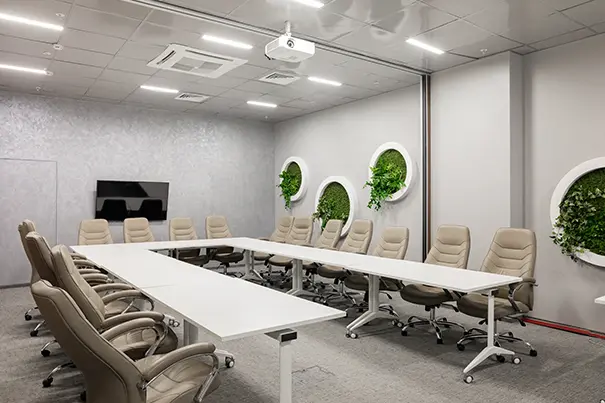
Wall treatment alone often isn't enough. Tall, hard, or exposed ceilings — common in glass-and-concrete corporate offices — act as a reflective canopy directly above the microphone pickup zone, bouncing sound back down before it ever reaches the far wall. False-ceiling voids above suspended tiles can also carry noise and reflections from adjacent plant rooms. A room can be fully treated at eye level and still need ceiling clouds, baffles, or acoustic tiles overhead.
Microphone placement and pickup pattern
Symptom: "There's a faint echo or ring whenever the person nearest the screen speaks."
This points to acoustic coupling between the room's loudspeakers and its microphones — often because a screen-mounted soundbar or ceiling speaker is aimed directly at a nearby microphone's pickup zone. Acoustic echo cancellation (AEC) can compensate for some of this, but it works best when speakers and microphones are positioned to minimise direct coupling in the first place, not as a substitute for good placement.
HVAC noise
Symptom: "Calls are clear in the morning and muddy by mid-afternoon” or "it's fine until the AC kicks in."
Air handling units, duct velocity, and diffusers near the seating area raise the room's background noise floor — often not loud enough to notice consciously, but enough to force noise gates and echo cancellation to work harder, which is what produces that “muddy” quality on a call. This is measured against a Noise Criteria (NC) rating, and it's a mechanical and layout issue, not something a DSP setting can fully compensate for.
DSP configuration drift
Symptom: "It used to sound fine, then someone 'optimised' it, and now it's worse."
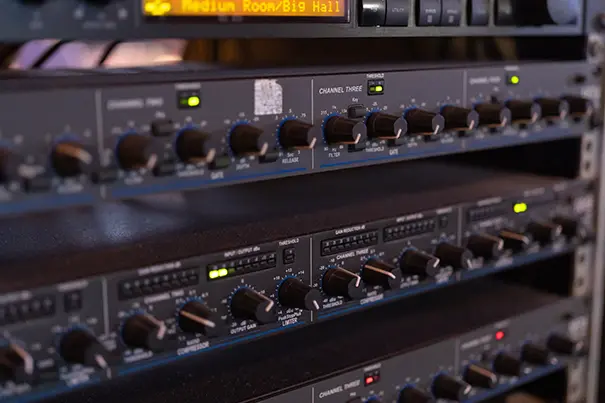
Digital signal processors handle gain staging, echo cancellation reference levels, and noise suppression — and those settings are tuned to a specific room, furniture layout, and platform. A firmware update, a platform switch, or even rearranged furniture can quietly invalidate a tuning that was correct at commissioning. This is precisely the layer we describe in our guide to AV signal flow for IT managers, and it's why DSP settings should be revisited whenever anything upstream of them changes.
Furniture and layout
Symptom: "The room sounds different depending on how many people are in it."
Soft furnishings — upholstered chairs, carpet, curtains — absorb sound; empty chairs and bare tables reflect it. A room's acoustic behaviour genuinely changes with occupancy, door position, and even whether a whiteboard or glass partition is in the room that day. This is normal, but it means a room tuned for a full house may behave differently at low occupancy, and vice versa — something worth testing for during commissioning rather than discovering during a board meeting.
The room itself — general room acoustics
Symptom: "We've replaced the microphone twice and it still sounds the same."
This is the pattern that started this article: when hardware swaps don't change the outcome, the problem was never in the hardware. Room acoustics — the combined effect of surfaces, geometry, and materials on how sound behaves — sits underneath every symptom above. It's rarely one single cause; it's usually two or three of these factors compounding each other, which is exactly why a proper diagnosis has to look at the room as a system rather than testing components one at a time.

Why Diagnosis Has to Come Before a Fix
Because these causes compound and often masquerade as each other, CMPPL treats a poor-audio complaint as a diagnostic exercise before it's treated as a purchasing decision. That means an on-site acoustic assessment, mapping the signal chain from microphone through DSP to codec, and testing under real meeting conditions — not just a bench check with the room empty. Our sound reinforcement and DSP design work always starts here, because a correctly specified microphone in the wrong room, or a correctly tuned DSP working against untreated reverberation, will produce the same complaint: “it still sounds bad.” For rooms that also carry remote participants, this diagnostic step matters even more, since hybrid meeting rooms expose every one of these issues to people who have no other way to judge the room except by what they hear.
If a room has already been through a hardware swap or two without improvement, that's usually the clearest sign the issue was never the microphone. Our pre-sales analysis and solution design process exists for exactly this situation, and our managed services and post-sales technical support teams monitor DSP configuration and room performance over time, so drift gets caught before it turns into a recurring complaint. Talk to CMPPL's AV consultants if a meeting room in your organisation has been “fixed” more than once without actually improving — there's a good chance the real cause hasn't been diagnosed yet.
ABOUT THE AUTHOR
Sanjeev Kalhan, Founder & CEO, CMPPL
Sanjeev Kalhan is the Founder & CEO of CMPPL, with over 30 years of experience in AV, computing, and technology leadership. He founded CMPPL in 1995 and holds a B.Tech in Electrical Engineering from IIT Delhi and an MBA from IIM Calcutta. Under his leadership, CMPPL has designed, integrated, and diagnosed AV ecosystems for 300+ clients across corporate, education, government, healthcare, and hospitality sectors nationwide.
Connect with him on LinkedIn: https://www.linkedin.com/in/sanjeevkalhan/
FAQ
Because the microphone is usually not the root cause. Reverberation, ceiling height, HVAC noise, speaker positioning, and DSP configuration can all produce the same symptom — poor audio — and a better microphone will simply capture the underlying problem more clearly rather than fixing it.
Reverberation is sound reflecting repeatedly off hard surfaces before it decays, measured as RT60, the time it takes to decay by 60 decibels. High reverberation makes speech hard to understand, especially for remote participants who hear only what the microphone captures, not the natural acoustics in the room.
Yes. Tall, hard, or exposed ceilings act as a reflective surface directly above the microphone pickup zone, bouncing sound back into the room even when the walls have been acoustically treated. This is why ceiling treatment is often needed separately from wall treatment.
Soft furnishings like upholstered chairs and carpet absorb sound, while bare tables, empty chairs, and hard flooring reflect it. A room's acoustics genuinely change with occupancy and furniture layout, which can make audio quality inconsistent even when the equipment hasn't changed.
Air handling units and duct noise raise a room's background noise floor. Even at levels a person barely notices, this forces noise gates and echo cancellation in the audio system to work harder, which produces a muddy or inconsistent quality on calls.
A digital signal processor (DSP) manages gain staging, echo cancellation, and noise suppression for a room's audio system. These settings are tuned to a specific room and setup, so a firmware update, platform change, or rearranged furniture can invalidate a previously correct configuration without anyone changing a setting directly.
CMPPL conducts an on-site acoustic assessment, maps the full signal chain from microphone through DSP to codec, and tests the room under real meeting conditions rather than with the room empty, since several root causes often compound and need to be diagnosed as a system rather than tested one component at a time.
For any inquiries or to discuss your requirements, please feel free to contact CMPPL through our website at www.cmppl.com or by email at info@cmppl.com. Our team will be happy to assist you.
Published: 24 September 2026