Tuesday, 13 October 2026
A Microsoft Teams Room that impresses on demo day and one that still performs in year three are two different projects. In Indian boardrooms, with glass walls, long tables, variable power and busy corporate networks, the gap between them is rarely the brand on the camera. It is architecture: how the room, audio, camera, network and security are designed together. This is how we approach it at CMPPL.
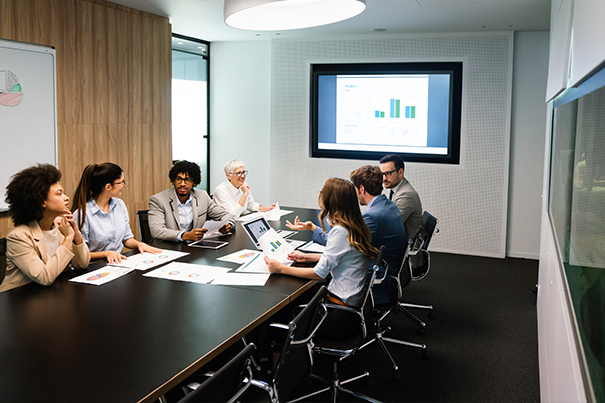
Room size vs hardware: choose by geometry, not seat count
Seat count is a starting point. The real drivers are room depth, table shape and the distance to the farthest participant. Three tiers cover most boardrooms:
- Up to 8 seats: a Teams-certified all-in-one video bar, touch console and a single 65–75" display. Fast to deploy and easy to standardise across offices.
- 10–12 seats: a modular design with a separate wide-angle camera, table or ceiling microphones, DSP-managed speakers and often dual displays, so content and people stay visible together.
- 16–20+ seats: Signature-class architecture with an ultrawide display, intelligent cameras, ceiling microphone arrays and a full DSP. A video bar cannot cover this space optically or acoustically.
Size the display to the farthest viewer, not the wall. As a rule of thumb, a 75" screen is comfortable for rooms around 6 m (20 ft) deep, and anything deeper moves towards an ultrawide or blended display. Check ceiling height and glazing early, because they decide whether ceiling microphones and a front-mounted camera are workable.
Keep room types to a minimum. Ten different designs means ten different support problems.
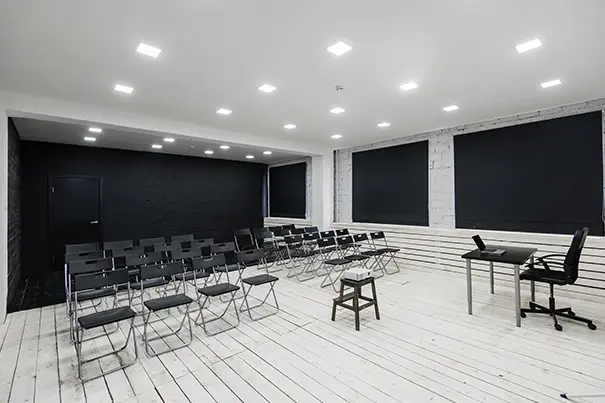
What Microsoft Signature Teams Room standards require
Signature is a design standard, not a product. Microsoft's guidance calls for Teams Rooms on Windows, an intelligent ultrawide-angle camera at the front of the room, mounted below the display but above the table at near eye level, and a single wide-aspect display, or blended displays that read as one. Certified microphone arrays, evenly lit faces and minimal glare complete the picture. The goal is a "front row" layout where remote participants see everyone as if seated in the room. Our Signature Teams Rooms page shows how we deliver this.
Not every boardroom needs full Signature treatment. It earns its cost where the room is wide, the meetings are high-stakes and remote directors are regular participants. For a compact eight-seater, a well-placed certified bar with good acoustics will outperform a poorly executed "premium" design every time.
Camera framing and intelligent tracking
Position matters more than pixels. Mount the camera at the front, near eye level, never high above the display looking down on the table. Choose a certified intelligent camera: Teams Cloud IntelliFrame requires one, and it frames individual participants instead of showing a distant wide shot. For 20-seaters, plan more than one camera so speaker tracking never crops half the table.
Then fix the light. Sun-facing glass turns participants into silhouettes, so specify blinds, dimmable overhead lighting and non-reflective finishes around the display.
Plan for content as well as faces. If the room uses a whiteboard, a secondary content camera lets remote attendees follow what is written, and dual displays keep shared files from hiding the people on screen. Decide this at design stage, because retrofitting cable paths into a finished boardroom is expensive.

DSP and microphone placement
People forgive average video. They never forgive poor audio. Microsoft's guidance is that every participant should sit within roughly 2.3 m (7.5 ft) of a microphone, so long tables need multiple units or ceiling arrays. A digital signal processor (DSP) then manages echo cancellation, noise reduction and automixing across every microphone and speaker zone.
Glass and hard surfaces work against you, which is why acoustic treatment belongs in the design phase, and why your AV signal flow must be mapped before commissioning.
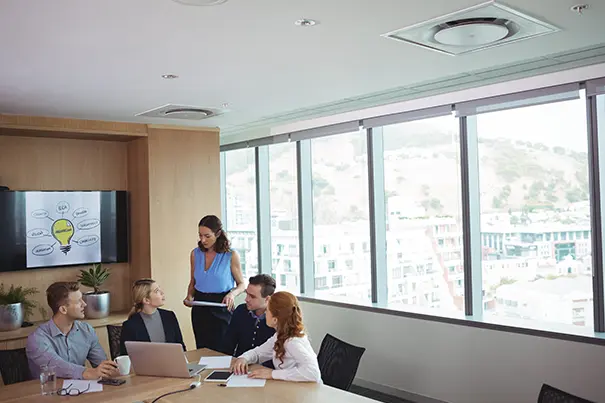
Network and security considerations
Treat every room as a managed endpoint:
- Wired only: a dedicated 1 Gbps drop per room, with at least 10 Mbps up and down.
- Segmentation: place devices on a dedicated AV VLAN.
- Ports and QoS: open UDP 3478–3481 and TCP 443/80. Mark audio DSCP 46, video 34 and sharing 18. Keep media out of web proxies and SSL inspection.
- Identity and management: enrol through Intune or Autopilot, use a dedicated room account, and add Teams Rooms Pro for health monitoring and remote updates.
- Resilience: UPS on the compute and AV rack, plus ISP failover, given power and last-mile variability.
Run a network readiness test before hardware arrives, measuring latency, jitter and packet loss to Microsoft 365 endpoints. Agree in writing who owns firewall rules, room accounts and firmware updates, so the integrator and your IT team are never guessing at go-live.
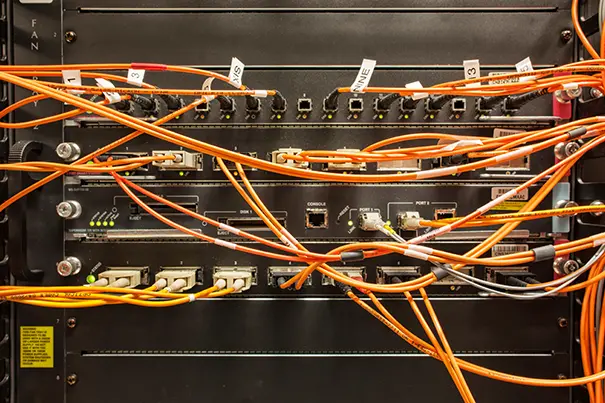
Microsoft Teams Room cost in India: 8, 12 and 20-seater rooms
These are indicative budgetary ranges in Indian rupees, excluding GST, covering certified hardware, displays, cabling, installation and commissioning. Final pricing depends on a site survey.
| Room | Typical scope | Indicative investment (ex-GST) |
|---|---|---|
| 8-seater | Certified all-in-one video bar, touch console and compute, 65–75" display, mount, cabling | ₹6–10 lakh |
| 12-seater | Modular camera, table and ceiling mics, DSP, speakers, dual displays, control | ₹15–25 lakh |
| 20-seater (Signature) | Ultrawide or blended display, intelligent cameras, ceiling mic arrays, DSP, zoned speakers, acoustic and lighting work | ₹40–75 lakh+ |
Add Teams Rooms licensing: Basic is free for up to 25 rooms, while Pro is listed at about US$40 per room per month. Model this over three years, because every room beyond the 25-room Basic limit needs Pro.
Three items move the budget most: display technology (a large LED wall can raise a 20-seater's cost sharply), acoustic and lighting remediation, and the depth of control-system programming. Spending on the last two is what separates a room people trust from one they avoid.
Common deployment mistakes
- Specifying by seat count alone.
- Skipping acoustics, then blaming the microphones.
- Mounting the camera too high or facing a bright window.
- Placing microphones beyond their certified range.
- Leaving QoS off and sharing a VLAN with general traffic.
- Mixing uncertified peripherals.
- Handing over without training, monitoring or managed services.
A future-ready room is designed backwards from the meeting you want to have. Our pre-sales analysis and solution design begins with a site survey and ends with a room your IT team can support. Talk to our team about your boardroom.
When planning a Microsoft Teams Room for an Indian boardroom, consider the room dimensions, seating arrangement, display placement, and camera coverage. Refer to Microsoft's guidance for designing Teams Rooms meeting spaces to support the room planning process.
Select cameras, microphones, and speakers that suit the room's size and meeting requirements. Check Microsoft Teams Rooms certified hardware and peripherals before finalizing the equipment selection.
FAQ
A Signature Teams Room is a Microsoft design standard for larger rooms. It uses Teams Rooms on Windows, an intelligent ultrawide-angle front-of-room camera, a single wide-aspect (or blended) display, certified microphones and even lighting, so remote participants see the whole room as if in a front row.
Choose by room depth, table shape and the distance to the farthest participant rather than seat count alone. Up to 8 seats usually suits a certified all-in-one video bar. Around 10–12 seats calls for a modular design. 16–20+ seats needs Signature-class architecture.
Microsoft guidance is that each participant should sit within roughly 2.3 m (7.5 ft) of a microphone. Long boardroom tables therefore need multiple table units or ceiling arrays, with a DSP managing echo cancellation and automixing.
A wired Ethernet drop per room, at least 10 Mbps up and down, UDP ports 3478–3481 and TCP 443/80 open, and QoS marking of audio (DSCP 46), video (34) and sharing (18). A dedicated AV VLAN is recommended, and media traffic should bypass web proxies and SSL inspection.
As an indicative range excluding GST, an 8-seater typically falls around ₹6–10 lakh, a 12-seater ₹15–25 lakh and a 20-seater Signature room ₹40–75 lakh or more. Final cost depends on a site survey, room acoustics and display choice.
Teams Rooms Basic is free for up to 25 rooms. Beyond that, additional rooms need Pro, which is listed at about US$40 per room per month and adds remote management, monitoring and analytics. Model licensing over a multi-year growth path.
Specifying by seat count, skipping acoustic treatment, mounting the camera too high or against windows, placing microphones out of range, leaving QoS unconfigured, mixing uncertified peripherals, and handing over without training or monitoring.
ABOUT THE AUTHOR
Sanjeev Kalhan | Founder & CEO, Communication Media Products Pvt Ltd (CMPPL)
Sanjeev founded CMPPL in 1995 and has spent more than 30 years in AV, computing and technology leadership. He holds an electrical engineering degree from IIT Delhi and an MBA from IIM Calcutta, combining technical depth with a focus on enterprise outcomes.
Connect on LinkedIn: https://www.linkedin.com/in/sanjeevkalhan/
For any inquiries or to discuss your requirements, please feel free to contact CMPPL through our website at www.cmppl.com or by email at info@cmppl.com. Our team will be happy to assist you.
Published: 13 October 2026