Saturday, 07 November 2026
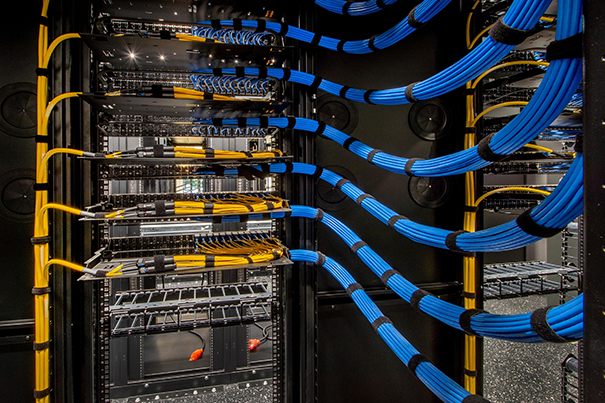
Every polished boardroom has a second room that nobody photographs.
Picture it: 8:40 a.m., a board meeting at 9:00, and the video codec has stopped responding. The on-call technician opens a cupboard behind the pantry. It is 38°C inside. The rack has been pushed against the wall with barely a hand’s width behind it. Forty cables, none labelled. A stack of spare chairs blocks the door. The equipment is excellent. The room it lives in is quietly sabotaging it.
This is why we judge every equipment room by one test: design for the worst day, not the handover day. On handover day, everything is new, cool and documented in someone’s head. On the worst day, the person standing in front of the rack has twenty minutes and has never seen it before. What follows is how we plan for that person — across rack layout, cooling, power, cabling and serviceability.
Rack Layout: Build It Like the Signal Flows
A rack is not a cupboard for boxes. It is a physical map of the system, and the best layouts mirror the AV signal flow — sources and inputs in one zone, processing in the middle, outputs and amplification in another. When the rack reads like the schematic, faults become traceable instead of mysterious.
- Heavy gear low. Amplifiers and UPS units sit at the bottom for stability and safer handling.
- Diagnostics at eye level. DSPs, codecs and control processors go where front-panel status lights can be read without kneeling or removing anything.
- Network and patching near the top, where structured cabling enters and patch changes are easy.
- Leave 20–25% spare rack units. One rack unit (1U) is just 44.45 mm, and future upgrades always need more of them than anyone budgeted.
Rack form matters too. A freestanding 42U rack, a wall-mount cabinet and a credenza rack with a slide-out frame each solve different spatial problems, and each comes with different airflow and access consequences. That choice should be settled at the pre-sales design stage, not improvised during installation.
Thermal Load: Every Watt Becomes Heat
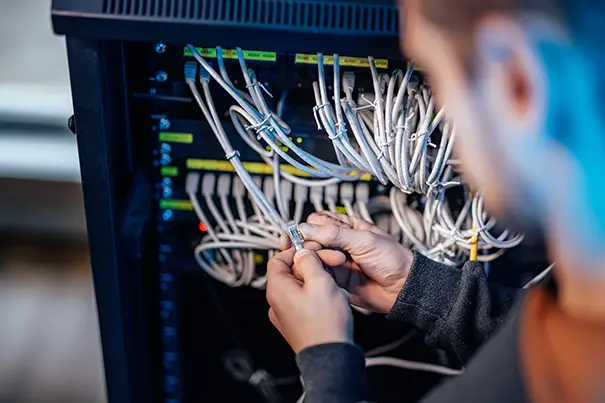
Electronics convert almost all the power they draw into heat. The conversion is simple: watts × 3.412 = BTU/hr. A rack drawing a steady 2.2 kW — a DSP, a few amplifiers, a codec, a switch and a control processor — sheds roughly 7,500 BTU/hr, or about 0.6 tonnes of cooling load. If the HVAC consultant does not have that number, the room is designed to fail. Use manufacturer thermal data rather than nameplate ratings, because amplifiers in particular dissipate very differently at idle and under program load.
- Respect airflow direction. Most AV equipment breathes front-to-back. Fit blanking panels on every empty rack unit so hot exhaust cannot loop back into the intake.
- Target the inlet, not the room. ASHRAE’s recommended envelope for IT equipment is 18–27°C at the equipment intake — measure there, not at the wall thermostat.
- Plan for after-hours. In many Indian offices, comfort air-conditioning shuts off with the building schedule while the rack runs 24×7. A dedicated split or precision unit, or thermostatically controlled exhaust fans for millwork racks, closes that gap.
- Allow for dust and humidity. Filters, sealed cable entries and a monsoon-season check keep contaminants out of fans and heatsinks.
Power Distribution: Clean, Sequenced and Separate
Enough power is not the same as good power. Voltage dips, generator changeovers and shared circuits cause more “mystery” reboots than faulty hardware ever does.
- Dedicated circuits from a separate distribution board, kept apart from motorised screens, lighting dimmers and pantry loads.
- Online double-conversion UPS, sized for the real load plus headroom, with runtime that comfortably covers DG changeover.
- Power sequencing so amplifiers switch on last and off first — preventing speaker thumps and inrush currents that trip breakers.
- A single, clean earth reference to avoid ground loops and hum. Check neutral-to-earth voltage against the OEM’s specification during commissioning.
- Metered, switchable PDUs that allow a remote reboot instead of a site visit.
Cabling and Labelling: Make the Rack Readable
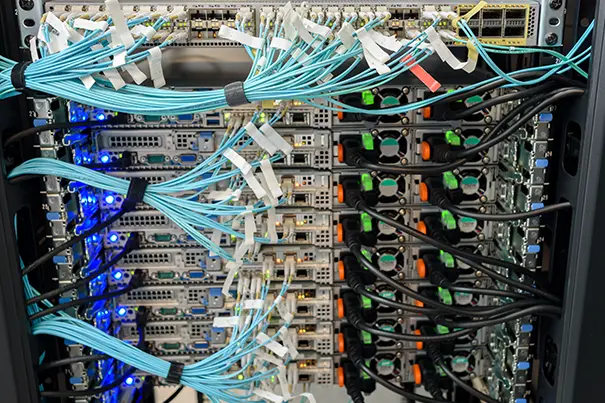
A rack’s cabling tells a story. The goal is a story that a stranger can read in two minutes. Physically separate power, speaker-level, microphone/line-level, data and fibre runs; where they must meet, cross at 90 degrees. Leave service loops so equipment can slide forward, respect bend radius on Cat6A and fibre, and use hook-and-loop straps on data cables rather than over-tightened zip ties.
Then label everything — at both ends, with a unique ID that matches the as-built drawing. AVIXA’s F501.01 cable labelling standard offers a consistent convention, so the label tells a technician where the cable comes from, where it goes and what it carries. Use printed heat-shrink or wrap-around labels, never handwritten tape.
Could someone who has never seen this room trace “Ceiling Mic 4” from the ceiling to its DSP input in under two minutes? If not, the labelling is unfinished.
Access Clearances: Design for the Technician’s Elbows
Most rack problems are fixed from behind, where terminations live. A practical baseline is about 1 metre of clear space in front of a rack and at least 0.6 metres behind it. Wall-mount cabinets need swing-out frames or hinged sections; credenza racks need slide-out rails. The room needs proper lighting, a door wide enough to bring a rack through, and one firm rule: the equipment room is never a storeroom. Spare chairs, stationery cartons and old monitors have a way of colonising every AV room in the country.
Serviceability Is a Design Deliverable
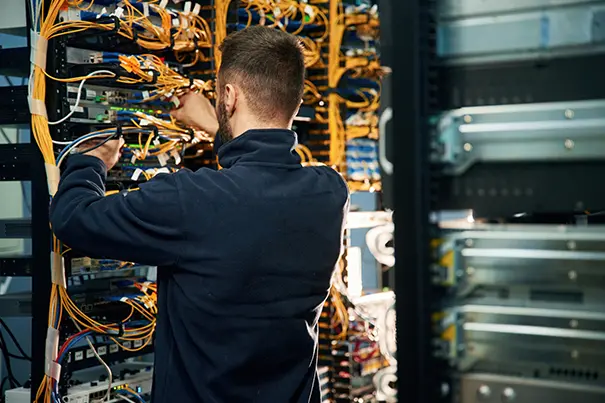
Maintenance should be designed in, not discovered later. Every rack we build should carry its own memory: a document pocket inside the door holding the rack elevation, system schematic, IP address schedule and power schedule.
- Quarterly: clean filters, log inlet temperatures, check fan operation and test UPS batteries.
- On every change: update labels and drawings the same day — an out-of-date drawing is worse than none.
- Continuously: monitor temperature, power and device status remotely through managed services, so problems are caught before the meeting rather than during it.
The CMPPL Approach
Across 30+ years and 800+ projects, we have learned that the equipment room decides whether a beautiful meeting space stays beautiful. That is why rack elevations, heat-load calculations and power schedules are part of our design documentation — whether for a 12-seater boardroom or a multi-floor campus. Our system integration teams build and commission racks to those drawings, and our post-sales support teams keep them that way.
Technology should adapt to people — including the person standing in front of the rack on the worst day. If your equipment room is a cupboard you would rather not open, talk to our design team.
About the Author — Sanjeev Kalhan, Founder & CEO, CMPPL
Sanjeev Kalhan founded CMPPL in 1995 and has spent more than 30 years in AV, computing and technology leadership. An IIT Delhi engineer with an MBA from IIM Calcutta, he has guided CMPPL from technology distribution to design-led AV system integration across 800+ projects for enterprises, educational institutions and the public sector. He believes technology should adapt to people — not the other way around.
Connect on LinkedIn.
FAQ
Add up the continuous power draw of every device in watts (using manufacturer thermal data, not nameplate ratings) and multiply by 3.412 to get BTU/hr. Divide by 12,000 to express it in tonnes of refrigeration. Share this figure with the HVAC consultant at design stage.
Measure at the equipment air intake rather than the room thermostat. ASHRAE’s recommended range for IT equipment is 18–27°C at the inlet, and cooling must keep running after office hours because AV racks operate 24×7.
Sequencing switches amplifiers on last and off first. This prevents loud speaker thumps, protects loudspeakers and avoids the combined inrush current of many devices tripping a breaker.
An online double-conversion UPS is generally preferred because it isolates equipment from voltage fluctuations and generator changeovers. Size it for the real load plus headroom, with enough runtime to cover DG changeover.
A practical baseline is about 1 metre in front and at least 0.6 metres behind, because most terminations are serviced from the rear. Wall-mount and credenza racks should use swing-out or slide-out frames to provide equivalent access.
AVIXA’s F501.01 Cable Labeling for Audiovisual Systems standard provides a consistent convention. Each cable should be labelled at both ends with a unique ID that matches the as-built drawings.
A sensible baseline is quarterly preventive maintenance — filter cleaning, temperature logging, fan checks and UPS battery tests — plus same-day documentation updates after any change, supported by continuous remote monitoring.
For any inquiries or to discuss your requirements, please feel free to contact CMPPL through our website at www.cmppl.com or by email at info@cmppl.com. Our team will be happy to assist you.
Published: 07 November 2026